Samsung Quick Share Update Expands to Older Galaxy Devices Before One UI 8.0 Rollout.Samsung is preparing a major software upgrade for its users. The company is bringing a new Quick Share feature to older phones. This update will arrive before the full One UI 8.0 release. It represents a significant enhancement for file sharing.The move indicates Samsung’s commitment to improving user experience. It ensures more devices can access the latest technology quickly. This strategy keeps older models relevant and functional.
New Quick Share Version Hits Galaxy Store
A new Quick Share update has appeared on the Galaxy Store. Its version number is 13.8.01.11. This update includes the features from Android 16-based One UI 8.0.According to Sammobile, the update is not yet widely available. It was not found on recent flagship models during testing. This suggests a gradual, staged rollout is planned.
Revamped User Interface and Enhanced Features
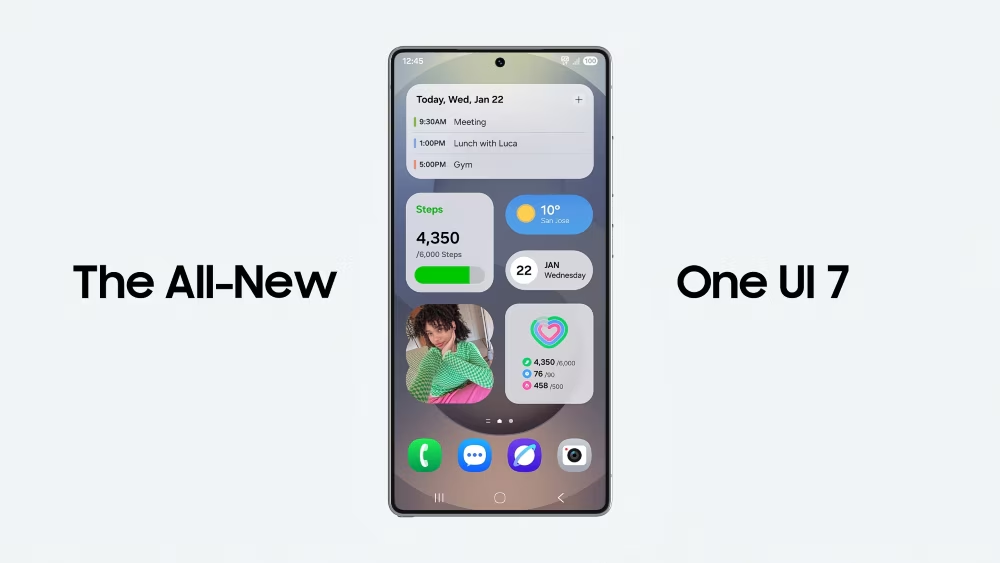
The updated Quick Share boasts a completely new interface. It now has two distinct tabs: Receive and Send. This design mirrors the one adopted by Google for stock Android 16.The changelog highlights several key improvements. A new receiving mode makes file transfers quicker and easier. The sending mode simplifies the process of selecting and sharing files.The update also introduces smarter file management. If a transfer fails or is canceled, only unsent files will be resent. This saves time and reduces frustration for users.Device identification is now easier with an increased character limit for names. Furthermore, the feature integrates with Samsung’s Nearby Devices UI. This creates a more seamless ecosystem experience.
Broader Compatibility Across Android Devices
This update solidifies the partnership between Samsung and Google. Their native file-sharing services, Quick Share and Nearby Share, have now fully merged. The result is a unified, cross-platform sharing solution.The merger means all compatible Android devices can share files effortlessly. It breaks down barriers between different smartphone brands. This creates a more connected and efficient user environment.
This Samsung Quick Share update is a crucial step for interoperability. It brings advanced functionality to a wider range of users ahead of schedule. The expansion demonstrates Samsung’s focus on delivering value through software.
Info at your fingertips
Which devices will get the new Quick Share update?
The update is intended for older Galaxy devices not yet running One UI 8.0. Samsung has not released an official device list. The rollout is expected to be gradual.
What is new in this Quick Share version?
The update introduces a new two-tab interface for sending and receiving. It also includes smarter transfer resumption and longer device names. Integration with Nearby Devices is also a key addition.
Do I need Android 16 for the new Quick Share?
No. This specific update is designed for devices that are not running Android 16. It brings the new features to older operating systems via the Galaxy Store.
Is Quick Share the same as Google’s Nearby Share?
Yes, Samsung and Google have merged their services. The feature is now called Quick Share and works across all compatible Android devices for seamless sharing.
How do I get the update?
You can check for the update in the Galaxy Store app. Look for the Quick Share application. The release is phased, so it may not be immediately available for everyone.
iNews covers the latest and most impactful stories across
entertainment,
business,
sports,
politics, and
technology,
from AI breakthroughs to major global developments. Stay updated with the trends shaping our world. For news tips, editorial feedback, or professional inquiries, please email us at
[email protected].
Get the latest news and Breaking News first by following us on
Google News,
Twitter,
Facebook,
Telegram
, and subscribe to our
YouTube channel.