Google is simplifying Android file sharing with a Quick Share tap feature that lets compatible phones exchange contact information, photos and videos through a physical tap. Google says the capability is rolling out to Pixel 6 and newer phones, with Samsung’s Z Fold8 and Z Flip8 next and wider Android support planned by the end of the year.
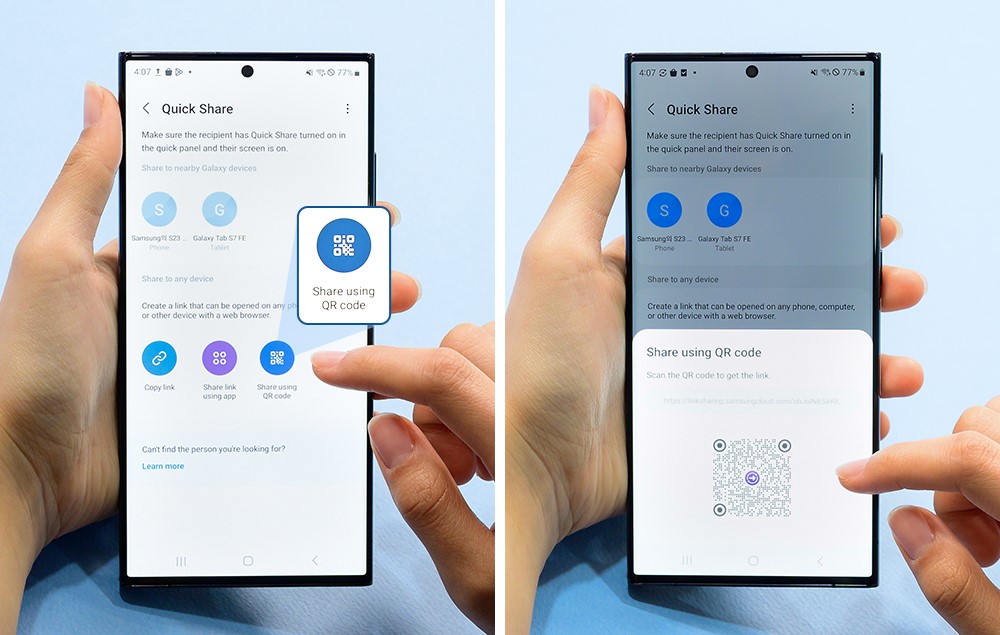
The idea is familiar to anyone who has used contactless pairing: bring two devices close, approve the action and avoid searching through menus. Quick Share still depends on user consent and compatible hardware, so the tap does not mean that a file moves automatically every time two phones touch. Android’s permissions and visibility settings remain part of the flow.
Google’s rollout language makes the device boundary important. The first supported Pixel generation is Pixel 6, while other Android phones are expected later. Owners should not assume that a similar-looking handset has the same radio support or software build. Regional update timing can also change the date when a feature appears in settings.
Android Central’s coverage adds the usability context: reducing the number of steps can make sharing more practical at events, in classrooms or between family members. The convenience is most useful when both people understand what is being shared. A short approval screen is still worth reading, especially when a phone contains multiple photos or a contact card with personal information.
The feature also shows how Google is trying to make Android’s ecosystem feel more connected without requiring a single brand. That cross-manufacturer ambition is useful, but it creates a testing challenge because screen layouts, security patches and default sharing settings vary. Google’s announcement establishes a roadmap, not a guarantee that every model will offer identical behaviour.
Quick Share is news because a small interaction change can remove friction from one of Android’s most common tasks. Google supplies the rollout and compatibility details, and Android Central confirms the practical angle. Users should wait for the feature to appear on their own device, then test the approval and privacy controls before relying on it for sensitive transfers.

Follow iNews Zoombangla On Google
Open the Google follow page and tap the checkmark option to receive more updates from iNews Zoombangla in your Google news feed.