Apple’s iOS 26.4 update introduces visible design changes that affect how icons, menus, and interface elements appear across the iPhone. The update refines Apple’s long-running Liquid Glass design language while adding new controls that allow users to adjust visual effects and brightness across the system.
The software update began drawing attention after developers and beta testers noticed that icons, notifications, and system menus now respond differently to transparency and lighting effects. The changes reflect Apple’s gradual shift toward more customizable and accessible interface design.
Liquid Glass Interface Gains More User Controls in iOS 26.4
In earlier versions of iOS, the Liquid Glass style largely defined the visual identity of Apple’s mobile software. The effect relied on layered transparency, reflective highlights, and bright visual accents that gave icons and menus a polished glass-like appearance.
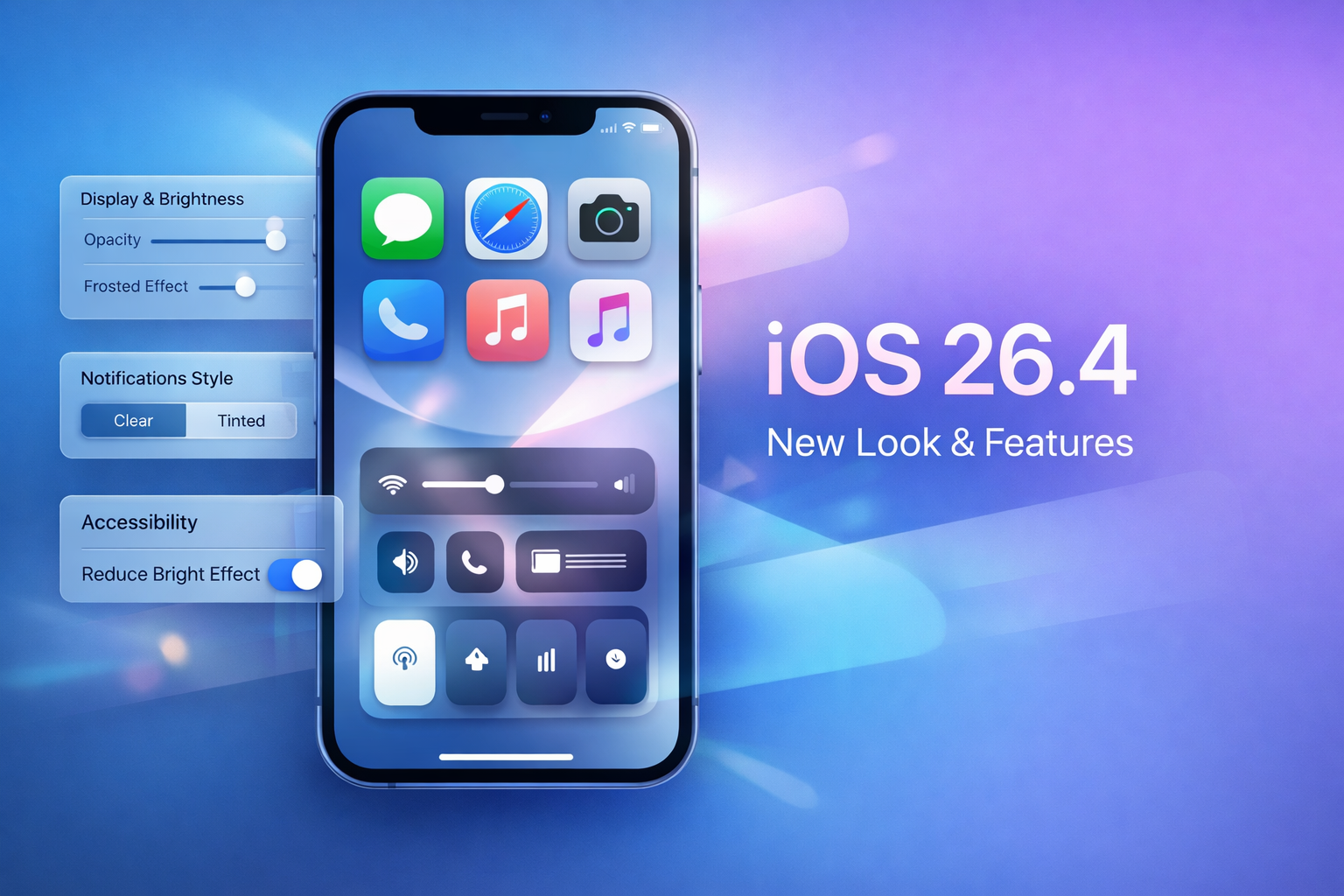
With iOS 26.4, Apple keeps the same visual foundation but gives users more direct control over how strong those effects appear. The Display and Brightness section now includes settings that allow adjustments to transparency intensity on the lock screen and across interface elements.
These controls make it possible to switch between a highly transparent interface and a softer frosted look. Notifications can also display either clear or tinted visual effects depending on the user’s chosen configuration.
The change affects how icons appear throughout the operating system. App icons remain recognizable, but their reflections, shadows, and background layers react differently depending on the selected Liquid Glass settings.
Menus, keyboards, and pop-up panels now adapt visually to these adjustments. When stronger transparency is enabled, icons appear more reflective and layered. When reduced, the interface shifts toward a flatter and calmer appearance.
Accessibility Adjustments Introduced in the iOS 26.4 Update
Another major addition in iOS 26.4 is a new accessibility control called Reduce Bright Effect. The feature appears inside the Accessibility settings menu and focuses on limiting bright visual highlights that can occur during interactions.
These bright flashes previously appeared while navigating menus, typing on the keyboard, or adjusting system controls. For some users, particularly those sensitive to intense light changes, the effect could create visual strain.
Reduce Bright Effect lowers those highlights and softens interface reflections. The result is a calmer visual environment that still preserves Apple’s design style while making the system easier to view for longer periods.
The adjustment also improves readability when the interface appears against bright wallpapers or strong background colors. Text, icons, and notification elements remain clearer under different lighting conditions.
Apple has steadily expanded accessibility features in recent iOS releases. The additions in iOS 26.4 continue that trend by giving users more ways to adapt the interface to personal comfort.
iOS 26.4 Reflects a Broader Change in Apple’s Design Direction
The latest update signals a subtle shift in how Apple approaches visual design. Liquid Glass once served as the centerpiece of the interface. In iOS 26.4, it becomes a customizable layer rather than a fixed visual rule.
Users can now fine-tune how dramatic or subtle the interface feels. Some may prefer the original glossy appearance, while others may reduce the effect for a simpler display.
This flexibility suggests Apple is placing more emphasis on user control rather than maintaining a single design standard across all devices.
For everyday users, iOS 26.4 means a familiar interface that now adapts more easily to personal preferences. Icons, menus, and notifications remain visually consistent, but the overall look of the iPhone can now be adjusted in ways earlier versions of iOS did not allow.
FYI (keeping you in the loop)-
What is new in iOS 26.4?
iOS 26.4 introduces additional customization for Apple’s Liquid Glass interface along with new accessibility settings such as Reduce Bright Effect. The update allows users to control transparency and brightness behavior across menus and notifications.
Does iOS 26.4 change iPhone app icons?
The design of individual app icons remains the same, but their visual appearance can change depending on transparency and lighting settings. Reflections and background effects now respond to the Liquid Glass customization options.
Where can you find the Reduce Bright Effect option in iOS 26.4?
The Reduce Bright Effect control is located in the Accessibility settings. It reduces bright visual highlights that appear during interactions such as typing or navigating menus.

Follow iNews Zoombangla On Google
Open the Google follow page and tap the checkmark option to receive more updates from iNews Zoombangla in your Google news feed.