Apple has released AirPods firmware 9A348 for the AirPods Pro 2, AirPods Pro 3, AirPods 4 and AirPods Max 2. The update arrives alongside Apple’s iOS 27 software release and prepares the supported headphones for new controls that appear across Apple’s latest operating systems.
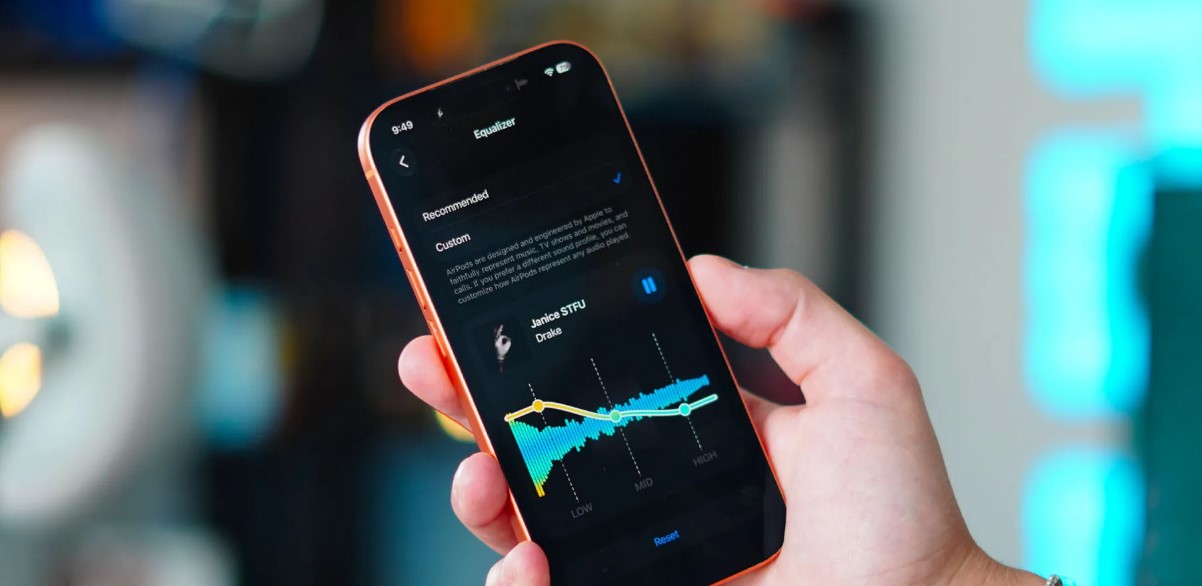
MacRumors reports that the firmware adds support for a redesigned AirPods interface, an Adaptive mode slider and custom equalizer controls. The report also links the update to compatibility with the new Siri AI features in iOS 27, iPadOS 27 and macOS Golden Gate. The available functions can vary by product and by the software installed on the connected Apple device.
Apple’s developer release page lists iOS 27, iPadOS 27 and macOS 27 as released on September 14, 2026. That timing explains why the AirPods update is arriving now. The headphone firmware works as a companion update rather than as a separate operating system installation that users start from a normal software-update screen.
Apple Support says AirPods firmware updates are delivered automatically. To give the process the best chance to complete, users should keep the earbuds within Bluetooth range of an iPhone, iPad or Mac connected to Wi-Fi. The AirPods should be placed in their charging case, the case should be connected to power, and the lid should remain closed for at least 30 minutes.
There is no general button that forces an AirPods firmware installation. Apple says the update can take time, so a device may not show the new version immediately after the operating-system update. Users can check the firmware number from the AirPods settings page after reconnecting the case to an Apple device.
The release covers four current product groups, but it does not mean every older AirPods model receives the same feature set. Apple’s support documentation lists firmware histories by model and notes that some functions depend on the connected device and its software version.
For owners of a compatible model, the practical first step is to install the available iOS 27, iPadOS 27 or macOS 27 update, connect the AirPods, and leave the charging case powered near the device. The firmware number can then be checked later. Apple’s rollout method is automatic, so a missing update button is expected rather than evidence that the headphones are broken.