Close Menu
iNews Zoombangla
  • Bangladesh
  • World
  • Tech
  • Business
  • Sports
  • Entertainment
  • Bangla
Facebook X (Twitter) Instagram
iNews Zoombangla
  • Bangladesh
  • World
  • Tech
  • Business
  • Sports
  • Entertainment
  • Bangla
iNews Zoombangla
Home English The first thing to do if an Android phone gets wet
English Smartphones Technology

The first thing to do if an Android phone gets wet

By Mohammad Al AminSeptember 15, 20262 Mins Read

The first thing to do when an Android phone gets wet is to stop using it. Turn the phone off, disconnect any cable and remove it from the source of the water. SlashGear highlighted the risk in a recent phone-safety guide, while Google’s Pixel support instructions make clear that a wet device should be handled carefully before charging or repair.
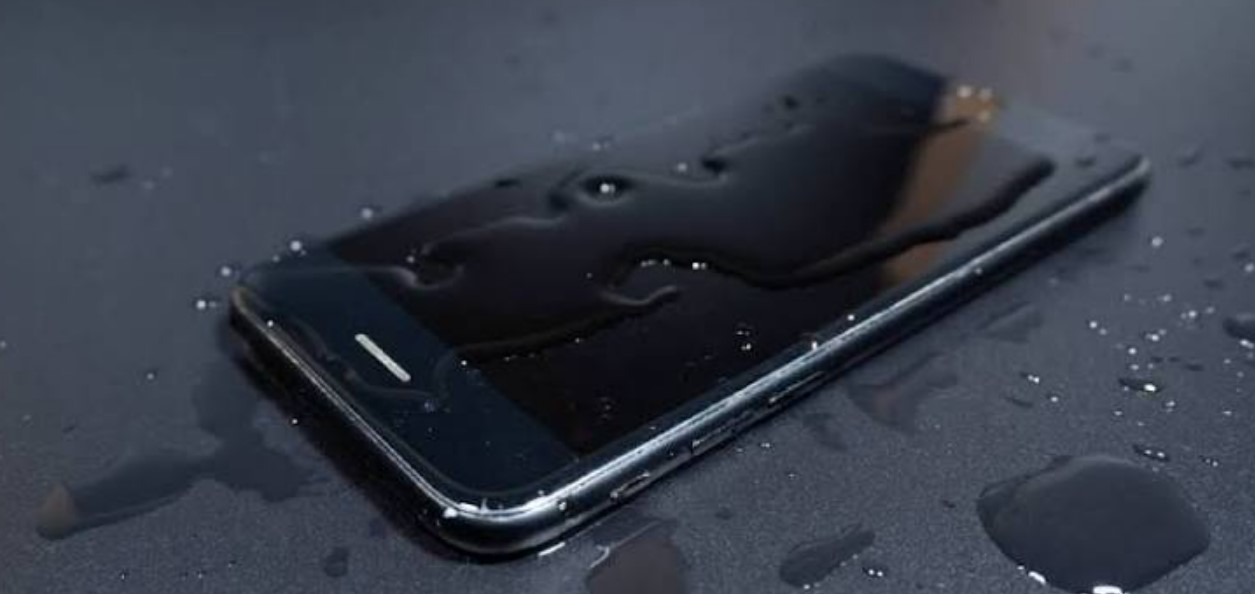
Android water damage

Do not connect a charger to a wet phone. Electricity moving through moisture can damage the charging port and other components. The safest next step is to remove the case, wipe the outside with a soft dry cloth and leave the phone in a dry, ventilated place.

Owners should not use a hair dryer, heater or other strong heat source. Heat can damage seals, the display, adhesives and the battery. Shaking the phone aggressively can also move water deeper into the device instead of removing it.

Advertisement

Rice is not a reliable repair method. Small particles can enter the charging port, and placing a phone in a container does not remove moisture from every internal part. The manufacturer’s support instructions are a better guide than household shortcuts.

Water resistance is not the same as waterproofing. A phone’s protection can weaken after a drop, a repair or normal wear. Fresh water, salt water, drinks and other liquids can also affect components differently. Users should check the specific model’s warranty and liquid-damage policy.

Google’s Pixel support guidance says people can use the device-repair process if the phone has been damaged. Other Android brands provide their own service instructions. If the screen stays black, the phone becomes hot, shows a moisture warning or refuses to charge, it should remain disconnected and be inspected by an authorised service provider.

The simple rule is to power down first and charge later. Give the phone time to dry, keep liquids away from the port and follow the manufacturer’s guidance before testing it. A careful response cannot guarantee that a wet phone will recover, but it can prevent a short-term accident from becoming additional electrical or battery damage.
fXinmwalink@tg
Android water damage Charging port Google Pixel support Phone safety Smartphone care
Mohammad Al Amin
  • X (Twitter)

Mohammad Al Amin is a member of the iNews Desk editorial team, contributing to day-to-day news coverage with an emphasis on factual accuracy, responsible reporting, and clear storytelling. As part of the newsroom workflow, he works closely with editors and reporters to help produce timely, well-verified articles that meet iNews’ editorial and journalistic standards for a global readership.

Related Posts
iOS 27 Messages button

iOS 27 lets iPhone users hide the Messages dictation button

September 15, 2026
iOS 27 compact clock

iOS 27 adds a compact Lock Screen clock for less visual clutter

September 15, 2026
iPhone Duo Apple Pencil

Apple says iPhone Duo will support Apple Pencil later this year

September 15, 2026

Latest News

iOS 27 Messages button

iOS 27 lets iPhone users hide the Messages dictation button

iOS 27 compact clock

iOS 27 adds a compact Lock Screen clock for less visual clutter

iPhone Duo Apple Pencil

Apple says iPhone Duo will support Apple Pencil later this year

DJI Osmo 360 II

DJI Osmo 360 II brings native 8K/60fps capture to a new 360 camera

Zelda 40th Anniversary Switch 2

Nintendo sets October 29 for Zelda 40th Anniversary Switch 2 edition

Lenovo Motorola ownership

Lenovo’s tech portfolio still includes Motorola after its 2014 acquisition

Apple Store redesign

Apple store redesign brings back Genius Bars and dedicated pickup bays

Xiaomi 18 Fold

Xiaomi 18 Fold brings a 200MP camera and 6,000mAh battery to China

iPhone Duo Shift Left Edge

iPhone Duo adds a hidden display setting for protective cases

XChat App Store

XChat disappears from Apple’s App Store without an explanation


Inews

iNews Zoombangla is your trusted destination for fast, accurate, and relevant English news. We cover Bangladesh, world affairs, technology, business, sports, entertainment, lifestyle, science, and research for English-language readers. iNews Zoombangla is the English news edition of ZooBangla.

  • About Us
  • Contact Us
  • Career
  • Advertise
  • DMCA
  • Privacy Policy
  • Feed
  • Authors
  • Editorial Team Info
  • Ethics Policy
  • Correction Policy
  • Fact-Checking Policy
  • Funding Information
© 2026 ZoomBangla Pvt Ltd. - Powered by ZoomBangla

Type above and press Enter to search. Press Esc to cancel.

tgXwa