Apple’s iOS 27 adds a compact clock option for the iPhone Lock Screen. MacRumors reported the change after the update became available on September 14. The new style keeps the time near the date instead of expanding it across a large part of the wallpaper.
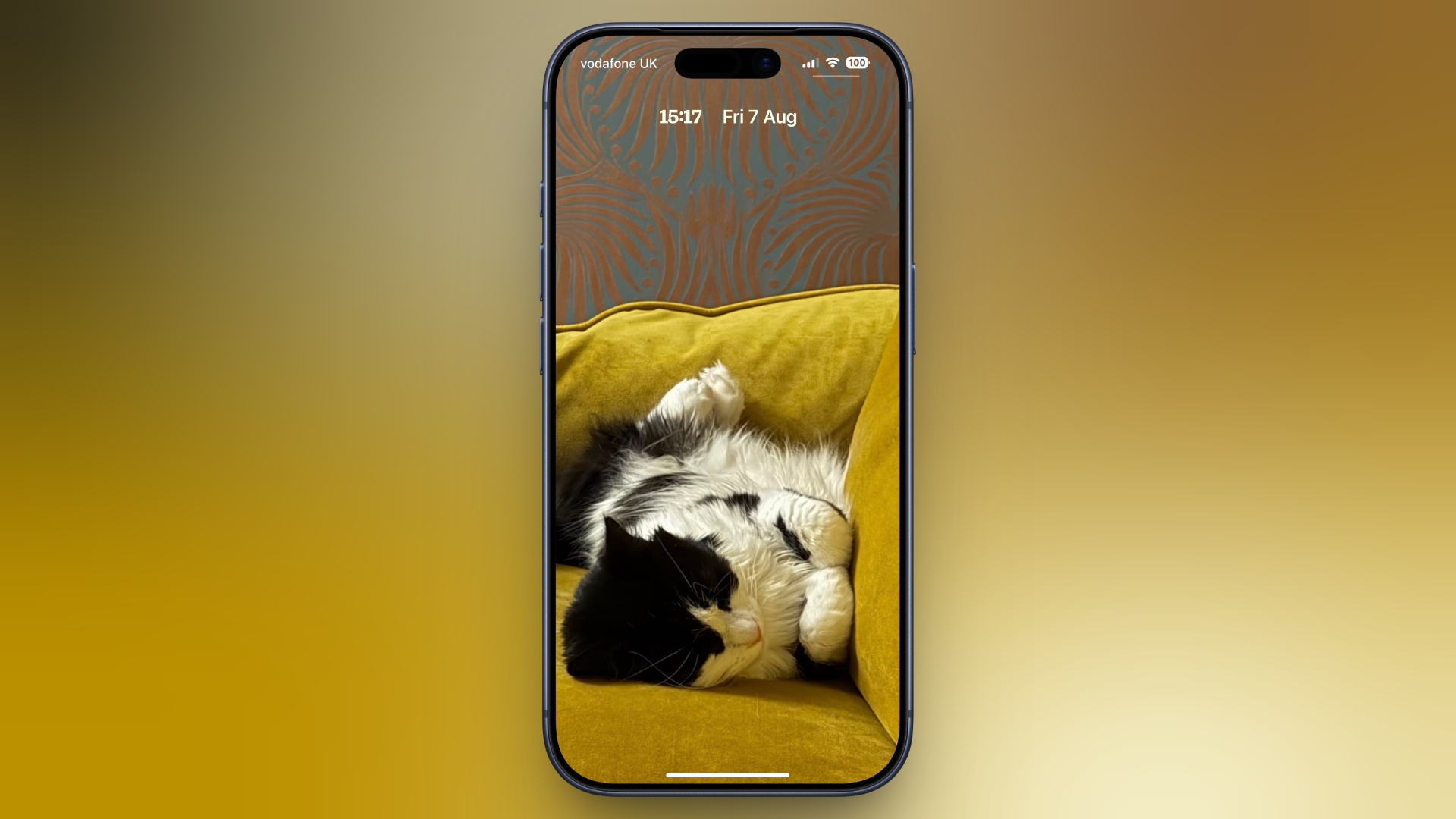
iOS 26 introduced more freedom to resize the Lock Screen clock, including a large layout that could dominate the screen. The compact mode moves in the opposite direction. It makes the time closer to the size of the date and places it in the top row, leaving more of the wallpaper visible.
The change is useful for people who prefer a quieter Lock Screen. A large clock can cover a photo, a subject or a useful part of a custom wallpaper. The smaller option keeps the basic information visible without making the clock the main visual element.
Compact mode is a design choice rather than a performance feature. It does not make the phone faster, extend battery life or change how notifications work. It simply changes the way the time is shown. Users can choose the style that fits the image and the amount of information they want at a glance.
The option is part of the Lock Screen customisation tools in iOS 27. The exact editing steps can vary depending on the iPhone language and the layout already selected. Users should use the Lock Screen editor and preview the result before saving it.
Apple’s approach gives the Lock Screen more flexibility without requiring a separate app. People who use a photo with a clear subject may find the compact clock less intrusive. Others may still prefer the larger design because it is easier to read from a distance.
iOS 27’s compact clock is a small change, but it shows the direction of Apple’s interface updates. Instead of adding another information panel, Apple gives users more control over the most visible element on the Lock Screen. The result is a cleaner option for anyone who wants the wallpaper to remain the focus.